uv
uv is a modern tool for managing installations of Python and project dependencies.
In Python’s 30-year history, there have been a number of ways to install Python, Python software, and libraries for Python projects.
uv obsoletes most of them and provides the simplest and easiest way to manage Python projects and install Python software into your local environment.
uv these days, unless I have specific needs for other software.Once you have uv, you can use it to get any Python or Python package you need, but you first need to install uv itself. The uv installation instructions provide details on a variety of ways to install. I have a few recommendations:
On macOS, use Homebrew:
$ brew install uvOn Windows, use WinGet (included since late Windows 10):
> winget install astral-sh.uvOn Linux, use the instructions, or an installation manager
miseoraqua.
See Dependencies with uv for more details on managing project dependencies with uv.
Recipes
Some useful uv commands:
To create a virtual environment in the current directory with a specific Python version:
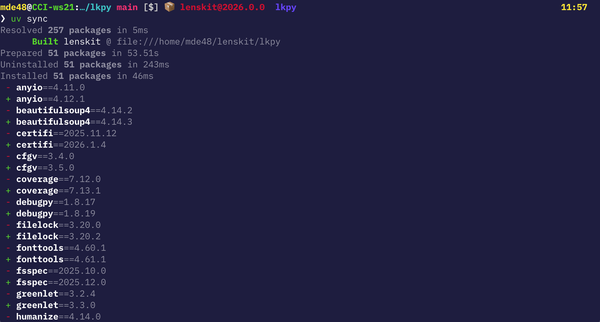
$ uv venv -p 3.12To install a project and its dependencies into this virtual environment (assuming you ran
uv venvin the project’s root directory, and the project is intended to be used withuv):$ uv syncTo add a new package as a dependency to your project and install it into the environment:
$ uv add pydanticTo update all dependency versions:
$ uv sync -UTo run a command published as a Python package, installing it (in an isolated virtual environment) if needed:
$ uvx run visidataTo install a Python package as a “tool”, so it is available in multiple projects (through the
uv toolinterface):$ uv tool install visidataYou can then run with:
$ uv tool run visidataTo install an arbitrary package into your current
uv-managed Python environment:$ uv pip install visidataWarningAvoid using
uv pip installin projects intended to be used withuv sync(a quick way to check: does it provide auv.lockfile?). Packages added withuv pip installare not tracked in the dependency files. However, theuv pipcommands are very useful for managing virtual environments you create for other purposes, such as a collection of useful tools you want to run outside of projects.